 SendAs Relay
Gmail is removing Send mail as in January 2027 — keep sending from your other address
SendAs Relay adds a From menu to Gmail on the web. Pick your Yahoo, iCloud, Fastmail or own-domain address and hit Send: the message goes out through that address's own mail server. Your passwords stay in your browser.
Store listings are being prepared. Free for one address.
What Google is changing
Google's help page: You will no longer be able to send mail from third-party email accounts in Gmail on the web or in the Gmail mobile apps.
That covers @yahoo.com, @hotmail.com, @icloud.com, ISP addresses and any custom domain Google doesn't host. Gmailify and POP fetching ("Check mail from other accounts") end at the same time.
- Q3 2026Notice in Gmail for everyone affected.
- Q3–Q4 2026Send mail as keeps working, but Gmail "may restrict new configurations".
- January 2027Send mail as for third-party addresses is removed, along with Gmailify and POP.
Source: Gmail Help 17101213 and 16604719, checked 2026-10-03. More in what to do before January 2027.
How it works
Add your address once
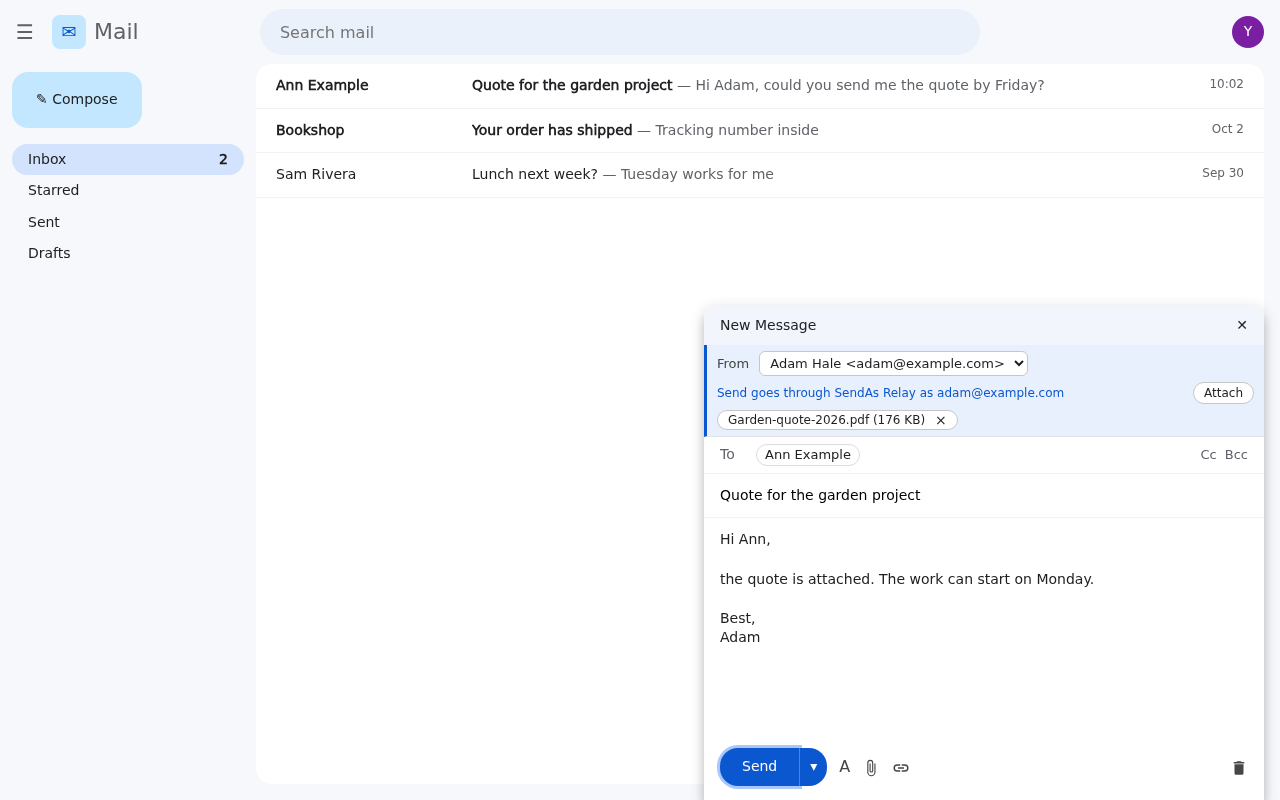
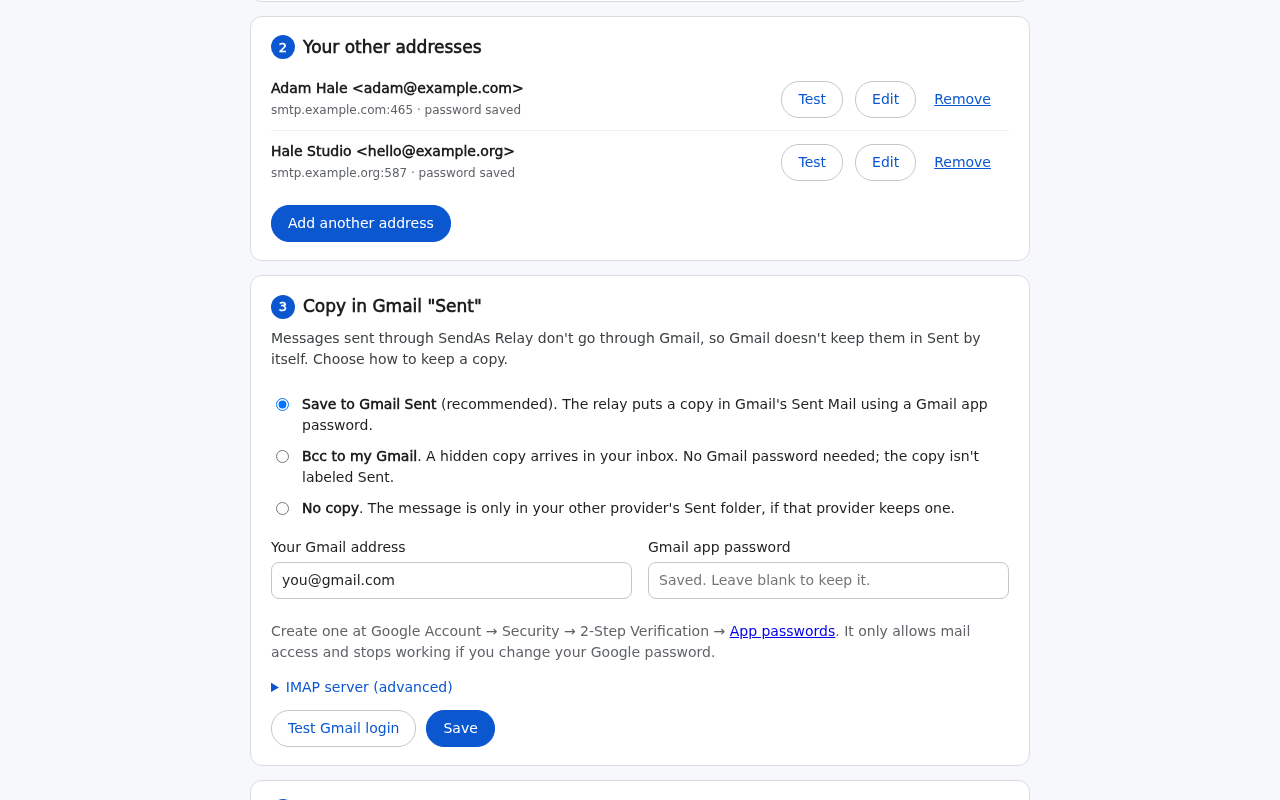
Pick your provider and the server settings fill in. Paste an app password and press "Test connection" to check it before saving.
Pick it in compose
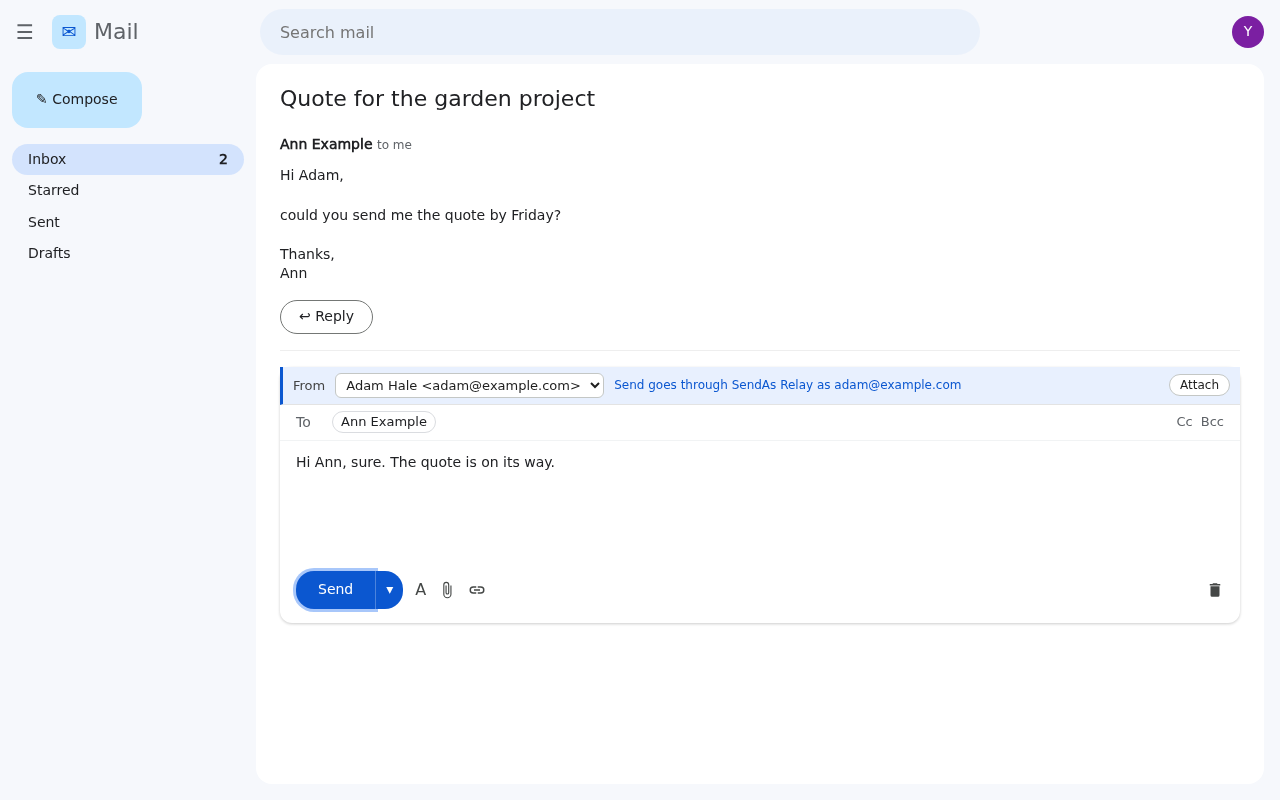
A From menu sits above the recipients in every new message, reply and forward. Replies to mail sent to your other address pick it automatically.
Send as usual
Send or Ctrl+Enter delivers through your provider's SMTP server via a stateless relay, and a copy can be saved in Gmail's Sent Mail.
Your passwords stay with you
- Passwords are stored only in your browser. Add a passphrase to encrypt them (AES-256-GCM, 600,000 PBKDF2 rounds).
- The relay passes each message straight to your provider and keeps nothing: no database, no logs.
- The relay's code is open source (MIT). Run your own copy on a free Cloudflare account and nothing goes through ours.
- No account to create, no analytics, no ads.
Works the way Send mail as did
- Replies stay in the same conversation, for you and the recipient.
- Recipients see your address, not "via gmail.com": your provider sends the message, as its own webmail would.
- Cc, Bcc, attachments (up to 14 MB) and pasted images.
- Copy in Gmail Sent Mail, a Bcc to yourself, or no copy. Your choice.
- Clear errors in plain words, and a one-click "Send with Gmail instead".
Works with
- Yahoo Mail
- AOL
- AT&T
- iCloud Mail
- GMX
- Web.de
- Fastmail
- Zoho Mail
- Purelymail
- Migadu
- Forward Email
- ImprovMX
- Brevo
- SMTP2GO
- Mailjet
- Resend
- Mailgun
- Comcast / Xfinity
- Any SMTP server on port 465, 587 or 2525
Not supported: Outlook.com / Hotmail (Microsoft has allowed only Microsoft sign-in, not passwords, since 16 September 2024; planned) and Proton Mail (SMTP only through Proton Bridge on your computer). Options for Outlook and Hotmail.
Runs in Firefox and Microsoft Edge on desktop. Not in the Chrome Web Store yet, and not in the Gmail mobile apps.
Pricing
Free
$0
One address, every feature: Sent copy, replies, attachments, passphrase encryption.
Pro
$19 / year (planned)
Unlimited addresses. Licence key checked offline. Not on sale yet.
Your own relay
$0
Deploy the open-source relay to your own free Cloudflare account. Works with Free and Pro.
Guides
- Cloudflare Email Routing: Send From Gmail in 2027Cloudflare Email Routing still forwards to Gmail after January 2027, but Send as via smtp.gmail.com ends. Outbound options for Cloudflare and ImprovMX.
- Copy Sent Mail to Gmail's Sent Folder (IMAP or Bcc)Mail sent from another address outside Gmail won't show in Sent Mail. How IMAP APPEND with a Gmail app password works, and the Bcc-to-self alternative.
- Free SMTP Server for Custom Domain Email in 2026Compare free SMTP servers for custom domain email in 2026: Brevo, SMTP2GO, Mailjet, Resend, Mailgun, plus Amazon SES status, SPF/DKIM/DMARC and caveats.
- Gmail POP3 Alternative for 2027: Inbound and OutboundGmail's Check mail from other accounts (POP) ends in January 2027. Compare forwarding, the Gmail app, and fetch services, then fix sending too.
- Gmail Send Mail As Removed in January 2027: What to DoGmail removes Send mail as for Yahoo, Outlook, iCloud and custom-domain addresses in January 2027. Who is affected, what still works, and your options.
- Gmailify Replacement: What to Use After January 2027Gmailify took no new users after Q1 2026 and ends in January 2027. How to rebuild it: forwarding for incoming mail, plus a way to send as your address.
- How to Send Yahoo Mail From Gmail After January 2027Gmail's Send as for Yahoo, AOL and AT&T ends in January 2027. Why only Yahoo's own SMTP server can send as @yahoo.com, plus app-password setup and options.
- SMTP App Password Settings: Yahoo, AOL, iCloud, GMXSMTP host, port, security and app-password steps for Yahoo, AOL, AT&T, iCloud, GMX, Web.de, Fastmail and Zoho, from each provider's official help pages.
- Send As Alias Gmail Removed? Which Aliases Survive 2027Gmail removes Send as aliases for non-Google addresses in January 2027, but Gmail-to-Gmail and Workspace aliases stay. How to tell which ones you have.
- Send As Outlook or Hotmail From Gmail in 2027: OptionsGmail drops Send as for Outlook.com and Hotmail in January 2027. Microsoft requires OAuth sign-in, so here is what still works, honestly compared.
- Use a Custom Domain With Gmail Without Workspace (2027)The free forward-to-Gmail plus Send as recipe ends in January 2027. How to keep your custom domain in Gmail without Workspace, with costs for each setup.
- Workspace Send As External Domain in 2027: What ChangesGoogle Workspace users lose Send as for non-Google domains in January 2027. Which addresses keep working, admin options, and paths for users.
Questions
Is Google really removing Send mail as?
Yes, for addresses Google doesn't host. Its help page says Send as for third-party accounts is fully removed in January 2027, on the web and in the mobile apps. Sending as another Gmail address or a Workspace alias is not affected.
Do you see my emails or passwords?
Each message and the login for that address pass through the relay for the few seconds it takes to hand them to your provider. Nothing is stored and logs are off. If you'd rather not trust that, run the relay yourself; the extension works with any relay URL.
Can I keep using my current Send mail as setup until January?
Yes. SendAs Relay doesn't change your Gmail settings. Your Gmail address stays the first option in the From menu and sends through Gmail as before.
Why do I need an app password?
Most providers (Yahoo, AOL, iCloud, Fastmail, Zoho) don't accept your normal password from mail apps once two-step sign-in is on. An app password only allows mail access and you can revoke it any time. Setup links to each provider's instructions.